About five minutes: copy your Brain's address, add it to your AI app, sign in, and paste one block of instructions. Works with Claude, ChatGPT, Gemini, Claude Code, Cursor, VS Code and any MCP client.
Your brain is a private MCP server. Any AI client that speaks MCP (Claude, ChatGPT, Gemini, Claude Code, Cursor, VS Code, and others) can read it live, authenticated as you, filtered to exactly what you are allowed to see. Nothing is copied to your device and there is no separate app to open.
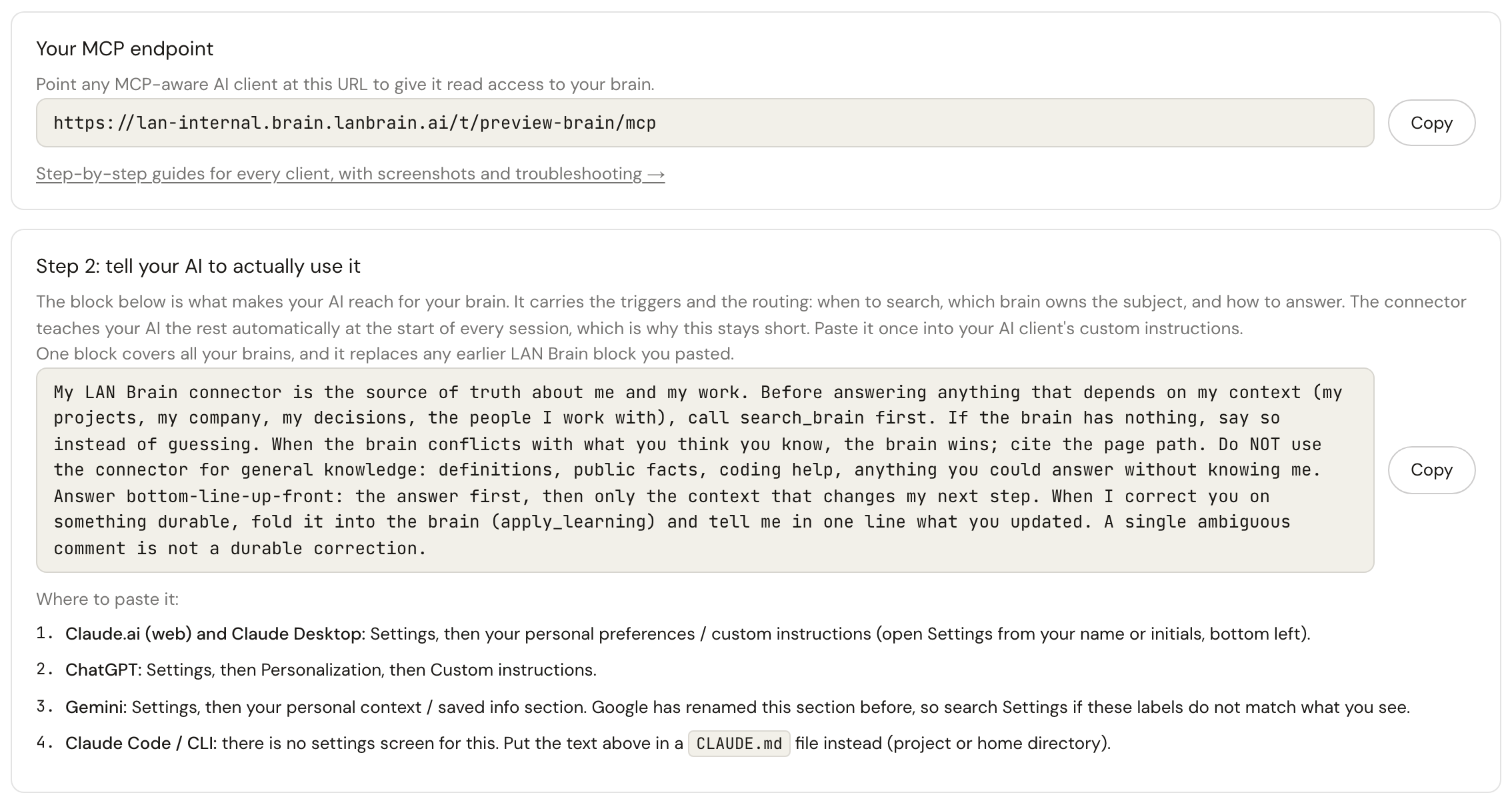
Your brain's address on the Connect AI app tab of the dashboard, with its copy button.
Copy your Brain's address
Your Brain's own address is on the Connect AI app tab of your dashboard. It looks like this:
https://YOUR-BRAIN.brain.lanbrain.ai/mcp
Add it to your AI app
Paste the address where your AI app adds a custom connector. Each guide shows the exact menu.
On claude.ai, open Customize, then Connectors, then Add custom connector, and paste the address.
Free (one custom connector), Pro, Max, Team and Enterprise. On Team and Enterprise an Owner adds it for the organization first. Claude Desktop and the mobile apps pick it up from your account; nothing to set up there.
On chatgpt.com, open Settings, then Apps (on some accounts: Plugins), turn on Developer mode under Advanced settings, then click Create and paste the address.
Business: only admins use developer mode, so an admin creates the app and publishes it (Workspace settings, then Apps, then Drafts, then Publish) and members connect it and sign in.
Enterprise and Edu: an admin grants developer mode, then members add it themselves.
Read and write on those three. Pro can read only. Not available on Free or Plus. Web only.
On gemini.google.com, open Settings, then Connected Apps, then Add a custom app, and paste the address.
Personal Google accounts in the US, 18 or older, with Keep Activity on, in English only for now. Work and school accounts cannot add it yet; companies use Gemini Enterprise or the Gemini CLI.
Any Claude plan that includes Claude Code. Works in the terminal and in the VS Code and JetBrains extensions.
Sign in and approve
Your AI app opens a LAN Brain sign-in page. Use the same account you use for the LAN Brain dashboard and approve. There are no tokens to copy.
Once you approve, your AI can read your Brain and add or update pages in it, within what your role allows. Its changes apply right away.
Tell your AI to use the Brain
Copy the instructions block from the Connect AI app tab of your dashboard. It is written for your account and already lists every Brain you can reach. Paste it once into your AI app's custom instructions.
Where to paste it
Claude: click your initials, then Settings, and paste it under Instructions for Claude.
ChatGPT: Settings, then Personalization, then Custom instructions, with customization switched on.
Gemini: Settings and help, then Personal Intelligence, then Instructions for Gemini.
Claude Code: a CLAUDE.md file in your project, or in ~/.claude for every project.
Then ask your AI this. It searches your Brain and answers with what it already knows about your company, citing the pages.
Search my Brain for what we know about our company
What your AI can do once connected
The brain exposes a small set of tools. Reading tools look up pages, search, follow links between people, projects and decisions, and read the change history. Writing tools let the AI file a page, suggest a change, or fold a correction back into the brain. Every tool respects your access: a page your role cannot see never reaches the AI. The full list is in How it works; the access model is in Security and access.
All setup guides
Step-by-step pages for every AI app, and what to read once you are connected.
Twelve things teams actually do with a connected Brain, each with the prompt that starts it: onboarding, call prep, weekly reports, decisions, code context.