The question every company asks before connecting an AI to its knowledge is the right one: what can it see, and who decides? Short version: your AI sees exactly what you see, nothing more, and every call is logged. This page gives the longer version.
What your AI can see
The connection is made as you. The brain checks every request against your account, so the AI gets the same view of the brain you would get in the dashboard:
- Personal brain: everything in it, because it is yours.
- Company brain: the pages your role and your departments allow. Admins see everything. Members see open content, plus whatever the groups they belong to unlock. A page can be open, read only, or admins only; a department can hold its changes for review before others see them.
A page you cannot see does not reach the AI at all. The AI is told to answer "the brain has nothing on that" rather than hint that a page exists. Search results, links between pages and the change history are filtered the same way, so there is no side door.
How sign-in works
- The client signs you in with OAuth through LAN Brain's own sign-in page (auth.lanbrain.ai). You use the same Google, GitHub or email login as the dashboard.
- No password ever goes through the AI client, and there is no API key to copy or store. The client keeps a short-lived session and refreshes it; when it cannot, it asks you to sign in again.
- Each person connects with their own account. Sharing a connector or a login would collapse per-person access into one identity, which is why the product never offers a shared token to end users.
- For automation without a browser (scripts, CI), LAN can issue a scoped token per brain on request. It is revocable independently of any user.
What is logged
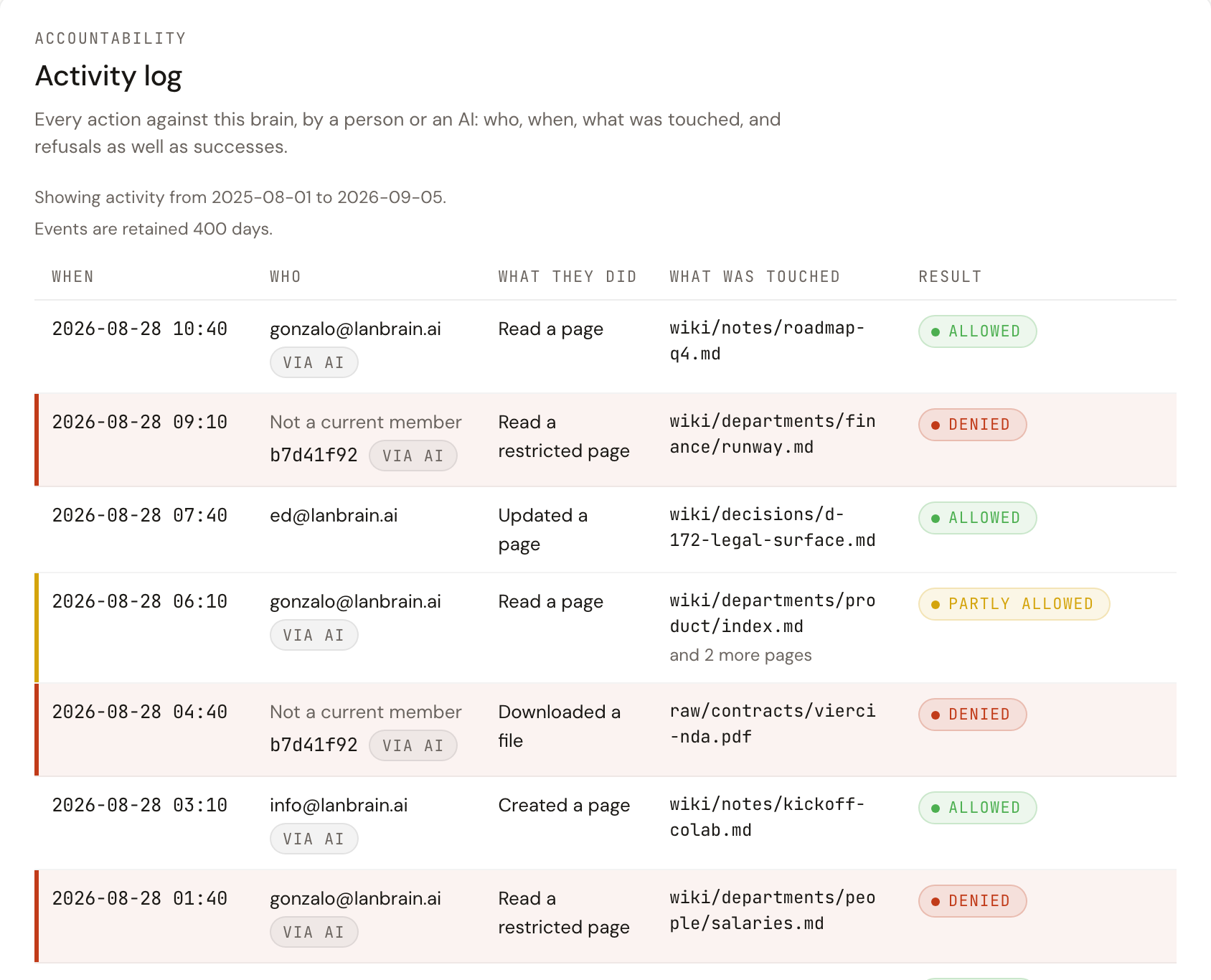
Every call the AI makes is written to the brain's audit trail: who, when, which tool, which page, and whether it was allowed, partly allowed, or denied. Calls made through an AI are marked as such. Owners and admins read it under Settings, then Audit, filter by person, action or result, and keep it for 400 days.
What the AI can change
Reading tools never change anything. Writing tools do, and they are governed:
- A change lands as a new version. The previous bytes are kept and can be restored, so every write is reversible.
- On a company brain, departments can require review: the change is stored at its final place, but only the author, the department's admins and brain admins see it until a reviewer confirms. Nothing blocks the AI; the guarantee is on the read side.
- Admins can turn on a hold for writes that look sensitive (compensation, credentials, personal data) so someone sets their visibility explicitly before they are readable.
- Members can be limited to AI-only access, so they reach the brain through their assistant but cannot browse or download it in the dashboard.
Cutting access
| Situation | What to do | Effect |
|---|---|---|
| You stop using a client | Remove the connector in that client | That client can no longer call the brain. Other clients are unaffected |
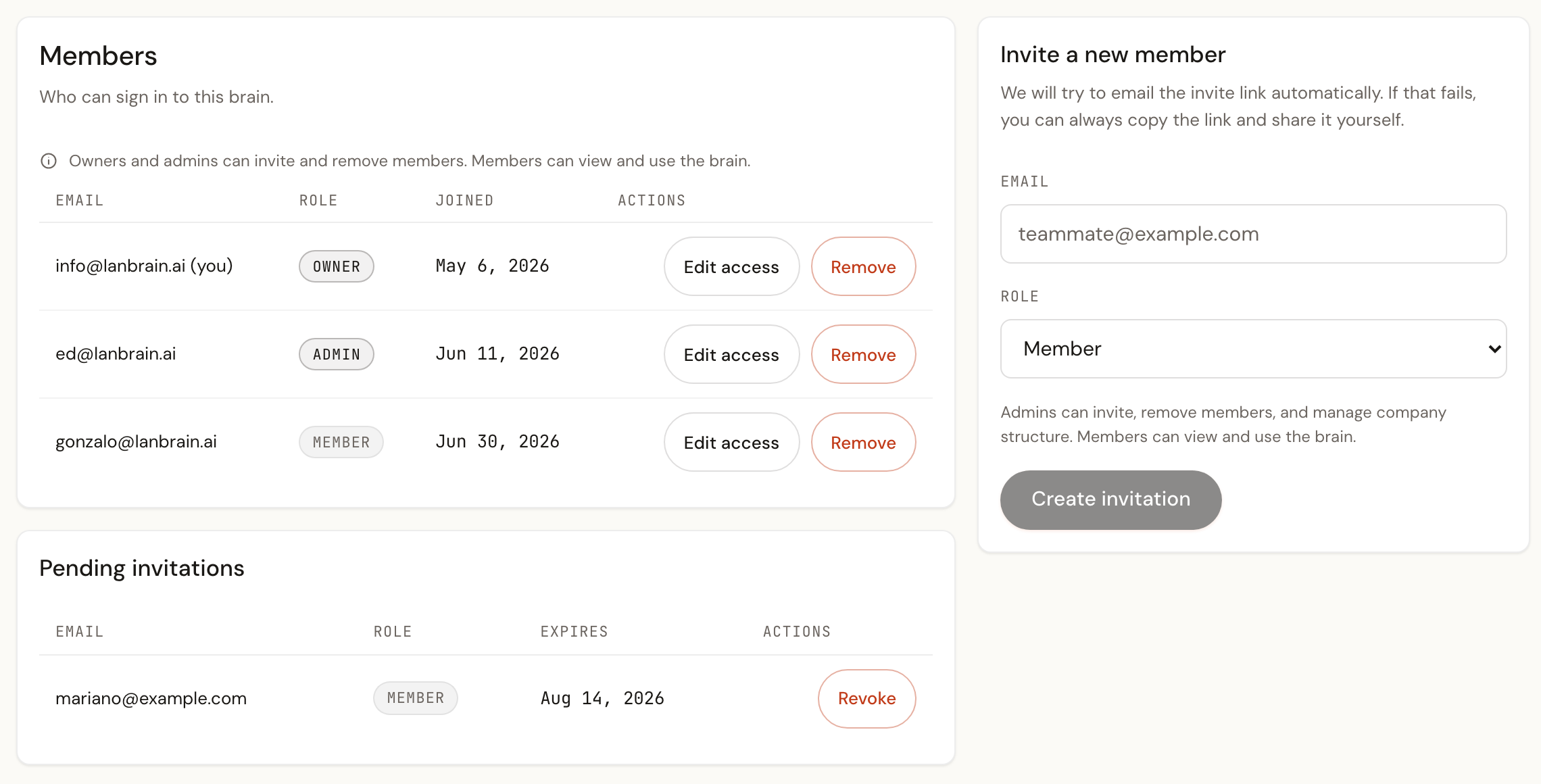
| Someone leaves the company | An admin removes them under Settings, then Members | Every client they connected stops working at the next call. Their pages and their history stay |
| A device is lost | Sign out of the client from another device, or ask an admin to remove and re-add you | Sessions on the lost device stop refreshing |
| You suspect a leak | Check Settings, then Audit for denied and unexpected calls, then remove the member | The audit trail shows exactly what was read |
Where the data lives
The brain is hosted by LAN in its own storage, one private bucket per brain, snapshotted daily. Ingestion runs through your own connectors on your side: your AI reads your Drive or your CRM with your credentials and writes pages into the brain. LAN receives no raw documents and no third-party credentials. The full posture, sub-processors and retention are on Trust and Security and How we handle data.